Graph-Based Orchestration
Sketch sections, variations, layers, and routing containers as a graph instead of starting with empty linear tracks.
 Orch
Get Orch
Orch
Get Orch
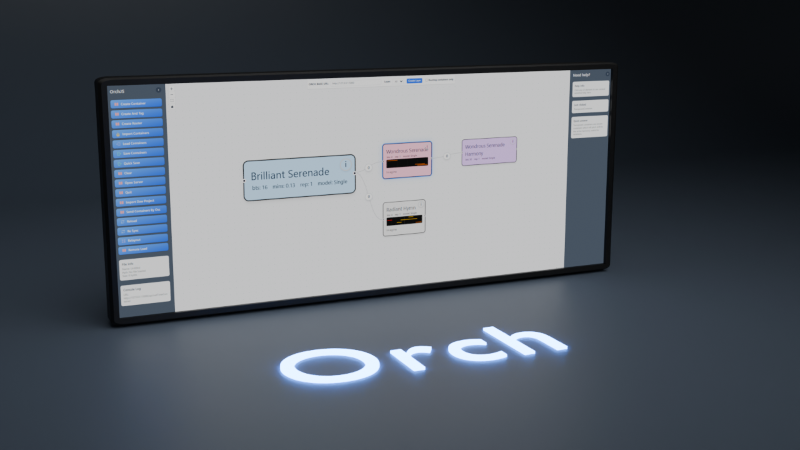
Version 5.0.0 | Free Player available | Windows release
A useful alternative DAW for composers who prefer structure, routing, node-based MIDI orchestration, and a visual synth engine over a conventional track-first timeline. Signed modules install through the same built-in catalog on Windows and Mac, including in the free Player version.
Runs on your machine with local project files, a browser interface, and a native audio bridge.
Plan musical structure as containers, relationships, and reusable sections.
Route instruments, effects, busses, and outputs without leaving the composition workspace.
Install signed user module plugins, and use MCP-compatible AI tools to help draft modules for review and signing.
Core Workflow
Sketch sections, variations, layers, and routing containers as a graph instead of starting with empty linear tracks.
Patch VST3 instruments, effects, audio busses, and outputs on a routing canvas that stays with the project.
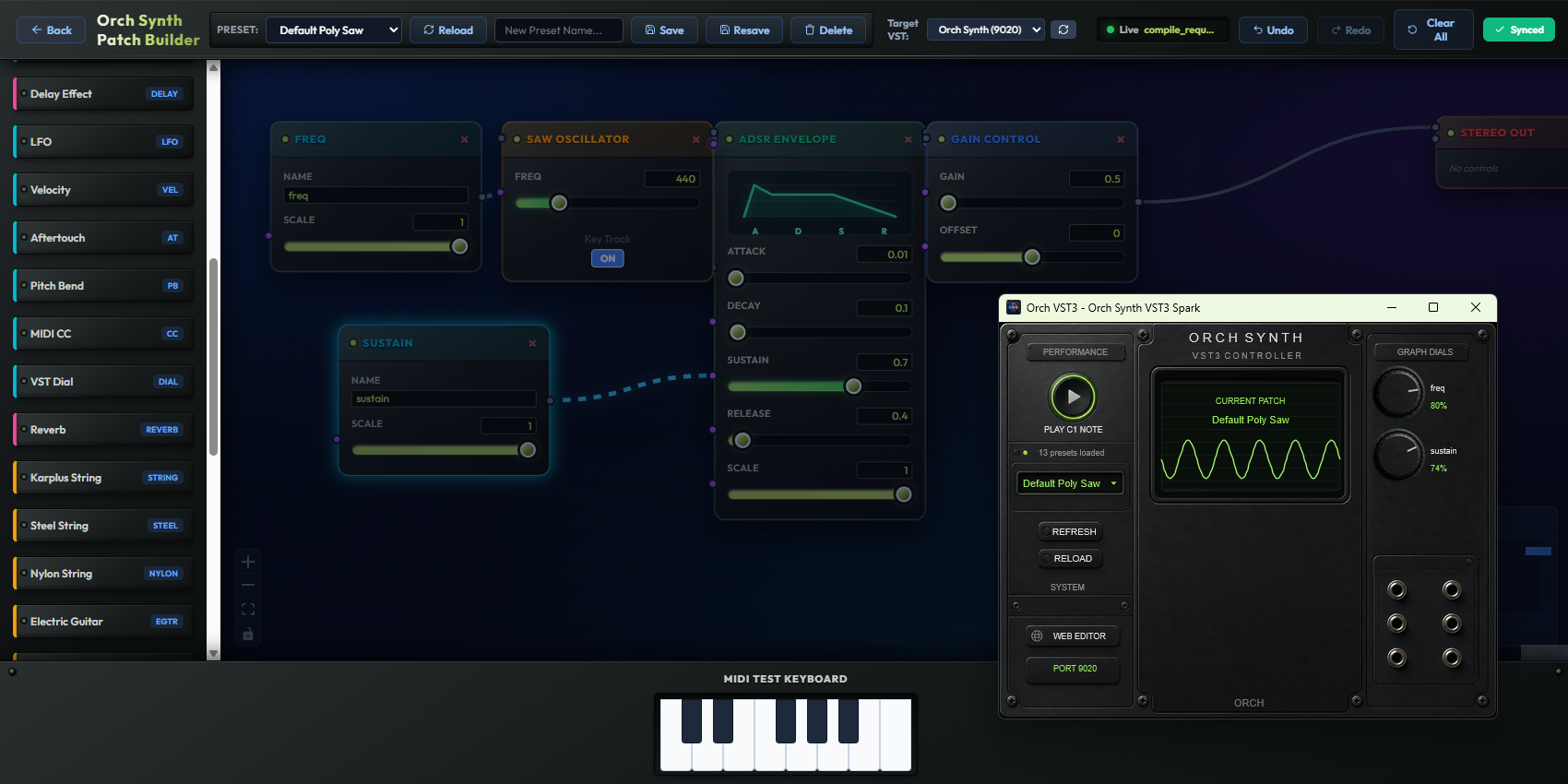
Design playable instruments visually with a node-based editor. Wire oscillators, filters, envelopes, and physical modelling nodes into a VST3 instrument in real time. Install the editor from the signed module catalog and use the standalone OrchSynth VST3 package for your platform.
Catalog local libraries, browse instruments with artwork, build collections, and keep sample choices visible.
Edit notes, velocity, quantize, legato, staccato, triplets, trimming, undo, zoom, and articulations.
Record a performance directly into a routing container, preserve MIDI 2.0 expression, and place the captured phrase into the structure you are already editing.
Use an MCP-compatible AI assistant to inspect projects, make edits, and help draft module code for developer review.
Orch Synth
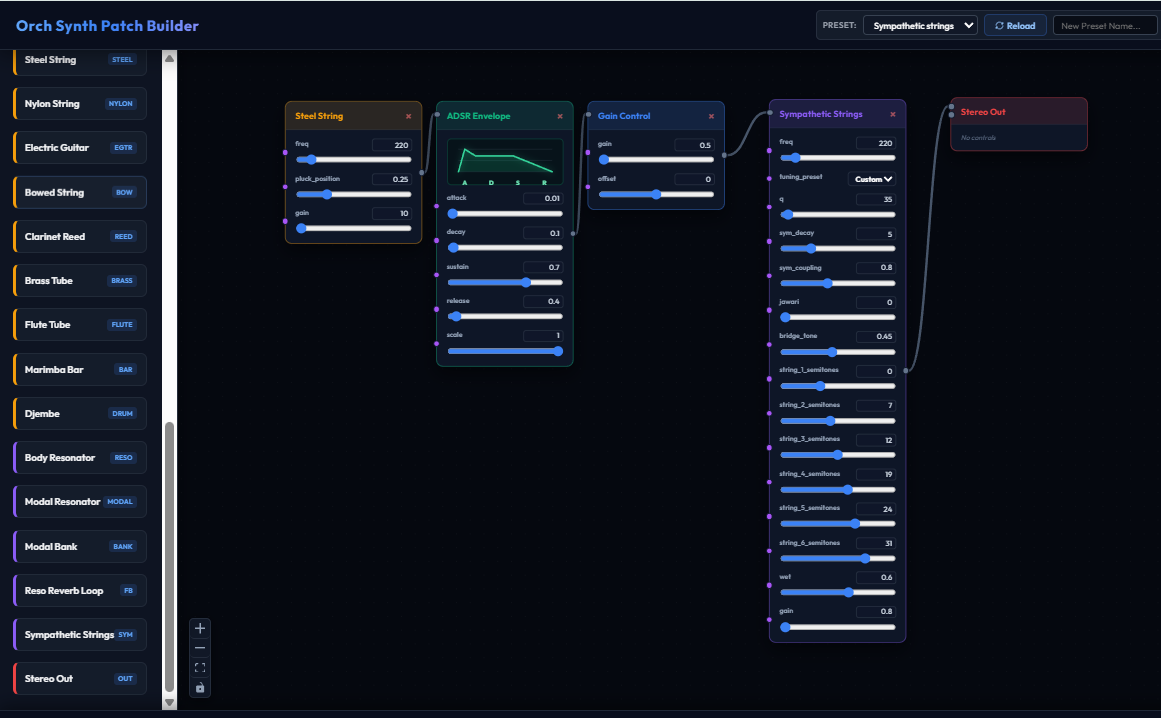
Orch Synth is a node-based patch builder that compiles directly into a VST3 instrument. Drag oscillators, filters, envelopes, exciters, strings, tubes, membranes, bodies, resonators, and modulation onto the canvas, wire them together, and hear the result immediately. No preset menus, no hidden signal paths — every connection is visible and editable.
The aim is not to replace specialist instruments that focus on one perfected piano, string, or percussion model. Orch Synth is for creative instrument design: building new playable behaviours inside the same environment where you compose, route, and arrange music. The editor module is distributed through Orch's signed catalog and works with the free Player version.
Comparison
Unlike linear mixer strips in traditional DAWs, Orch exposes a visual node-based VST routing canvas out of the box, offering modular flexibility for sound design and instrument patching.
Rather than starting with an empty linear timeline, Orch lets you organize musical ideas into modular, hierarchical containers. Build blocks, repeat segments, and filter layers programmatically.
Forget hardcoded MIDI channels 1-16. Orch routes musical events using semantic tags (e.g., "Violins", "Solo_Flute"). The router maps tagged containers dynamically, letting you change instrumentation without editing notes.
Built for the future of digital music. Orch's standalone C++ bridge incorporates native MIDI 2.0 capabilities, supporting high-resolution parameter control, per-note expressions, and next-generation MIDI hardware.
Install signed user module plugins for extra workflows. MCP-compatible AI assistants can help draft new module ideas, which must be reviewed and signed before packaged releases can load them.
Orch integrates natively with the open DAWProject exchange standard. Easily draft generative arrangements or raga phrases locally and export them directly to Bitwig or Tracktion Waveform.
Orch is built on a decoupled architecture where parameter updates, timeline triggers, and routing state are communicated in real-time over OSC. This open network protocol makes it simple to integrate custom hardware controllers, tablet layouts, or modular audio software.
Traditional DAWs usually separate composition from instrument design. Orch Synth lets you build the instrument itself as a visible signal graph, combining classic synthesis and physical modelling components inside the same composition workspace.
Use an MCP-compatible AI assistant to inspect projects, make edits, and help draft module code for developer review.
Orch Synth
Orch Synth is a node-based patch builder that compiles directly into a VST3 instrument. Drag oscillators, filters, envelopes, exciters, strings, tubes, membranes, bodies, resonators, and modulation onto the canvas, wire them together, and hear the result immediately. No preset menus, no hidden signal paths — every connection is visible and editable.
The aim is not to replace specialist instruments that focus on one perfected piano, string, or percussion model. Orch Synth is for creative instrument design: building new playable behaviours inside the same environment where you compose, route, and arrange music. The editor module is distributed through Orch's signed catalog and works with the free Player version.
Comparison
Unlike linear mixer strips in traditional DAWs, Orch exposes a visual node-based VST routing canvas out of the box, offering modular flexibility for sound design and instrument patching.
Rather than starting with an empty linear timeline, Orch lets you organize musical ideas into modular, hierarchical containers. Build blocks, repeat segments, and filter layers programmatically.
Forget hardcoded MIDI channels 1-16. Orch routes musical events using semantic tags (e.g., "Violins", "Solo_Flute"). The router maps tagged containers dynamically, letting you change instrumentation without editing notes.
Built for the future of digital music. Orch's standalone C++ bridge incorporates native MIDI 2.0 capabilities, supporting high-resolution parameter control, per-note expressions, and next-generation MIDI hardware.
Install signed user module plugins for extra workflows. MCP-compatible AI assistants can help draft new module ideas, which must be reviewed and signed before packaged releases can load them.
Orch integrates natively with the open DAWProject exchange standard. Easily draft generative arrangements or raga phrases locally and export them directly to Bitwig or Tracktion Waveform.
Orch is built on a decoupled architecture where parameter updates, timeline triggers, and routing state are communicated in real-time over OSC. This open network protocol makes it simple to integrate custom hardware controllers, tablet layouts, or modular audio software.
Traditional DAWs usually separate composition from instrument design. Orch Synth lets you build the instrument itself as a visible signal graph, combining classic synthesis and physical modelling components inside the same composition workspace.
Orch features a native Indian Classical music engine with raga-rule scale constraints and automated pitch glide (meendh) generation. Traditional DAWs require tedious manual pitch-curve programming.
What's new in Orch 4.0
Turn a movement, cue, template, or musical section into a reusable building block — even when it is already built from other linked projects. Orch 4 lets larger works stay connected without becoming one enormous project file.
Quick Start
Open the configuration page, enter your license, confirm save locations, then save the generated config.
Launch the browser interface and start in Canvas, where composition and orchestration graphs are built.
Use Canvas for orchestration, VST Routing for the mixer graph, and Samples for browsing and managing instrument libraries.
Set your instrument root, scan folders by file extension, add artwork, then use the Samples tab to preview and organize sounds.
Everyday workflow
Orch is meant for repeated local work: building sections, editing streams, trying routing ideas, and keeping project structure visible.
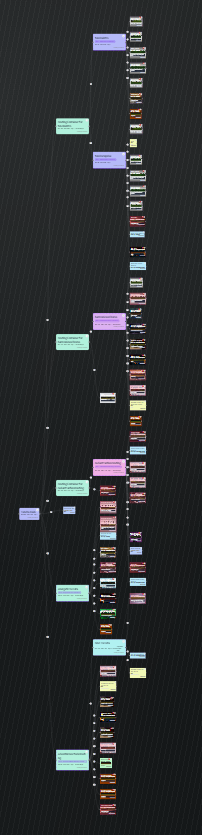
Screenshots
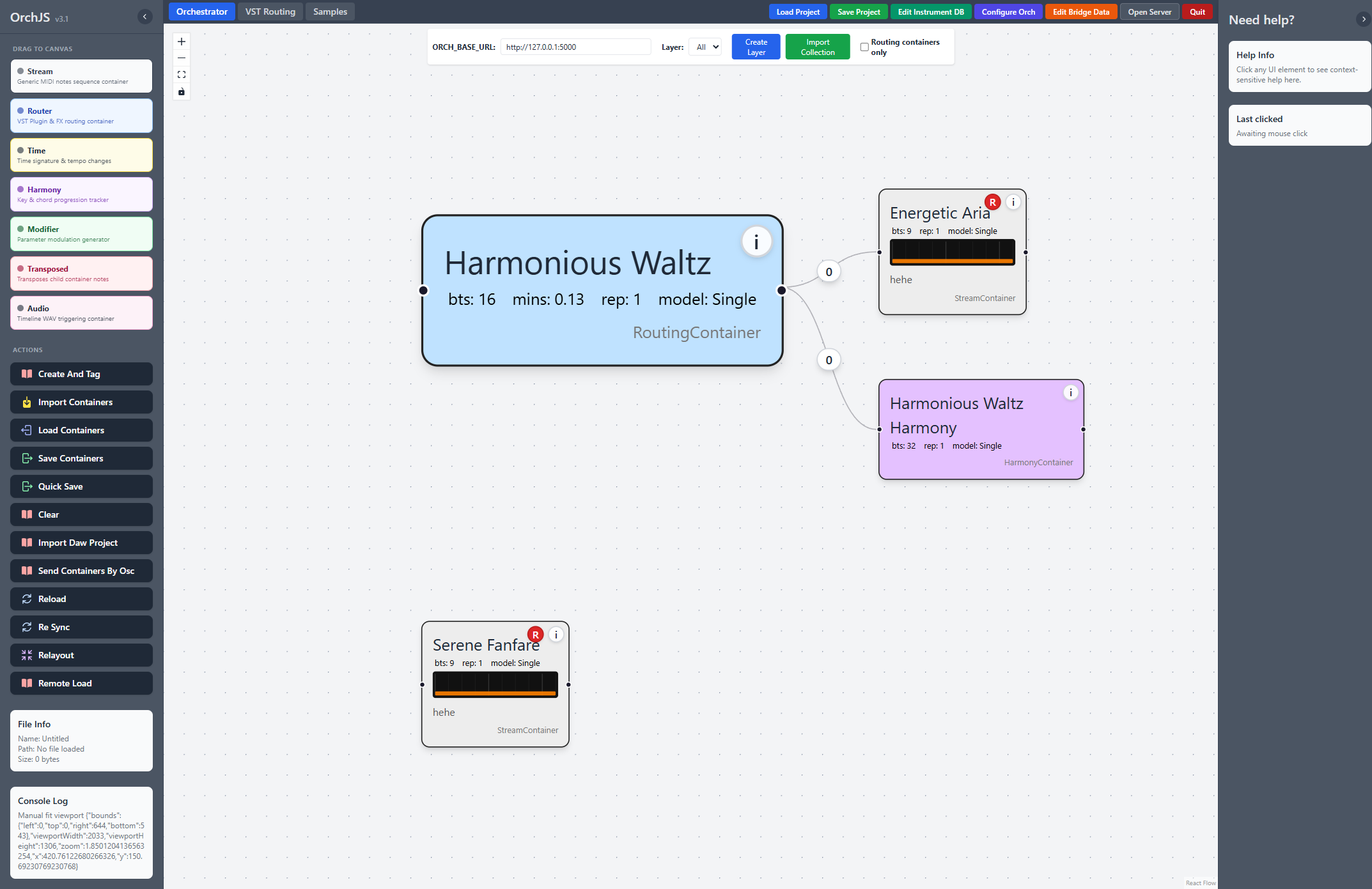
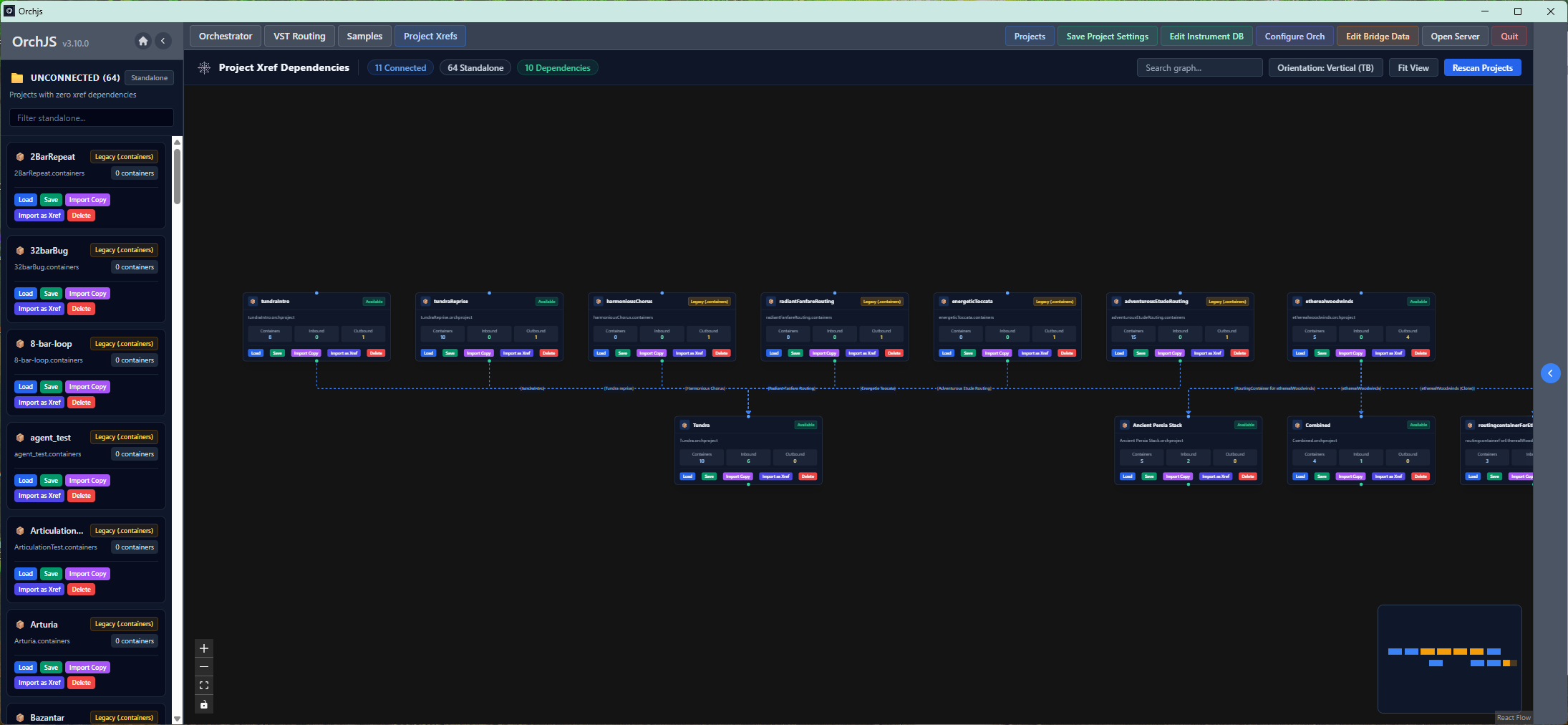
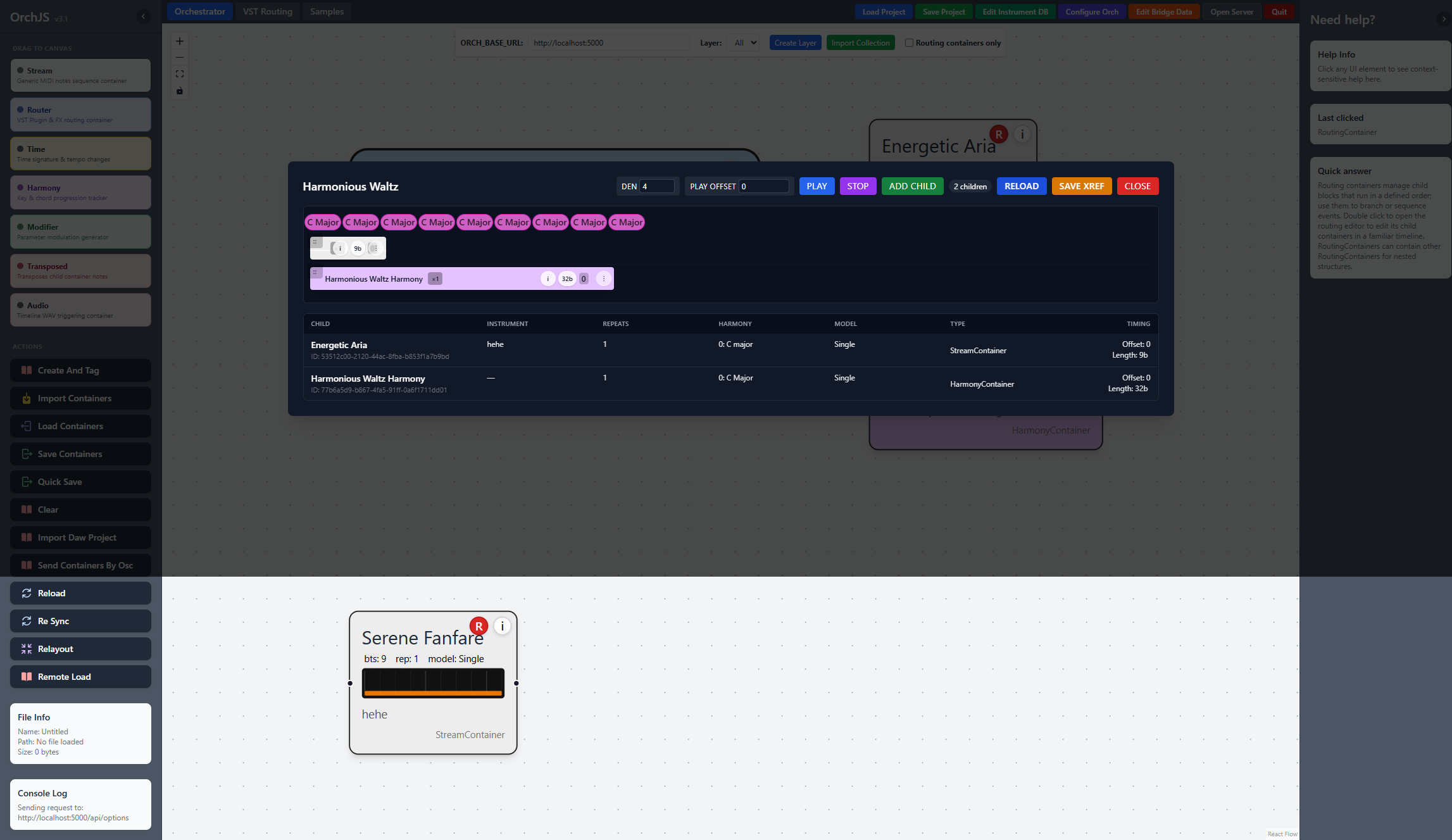
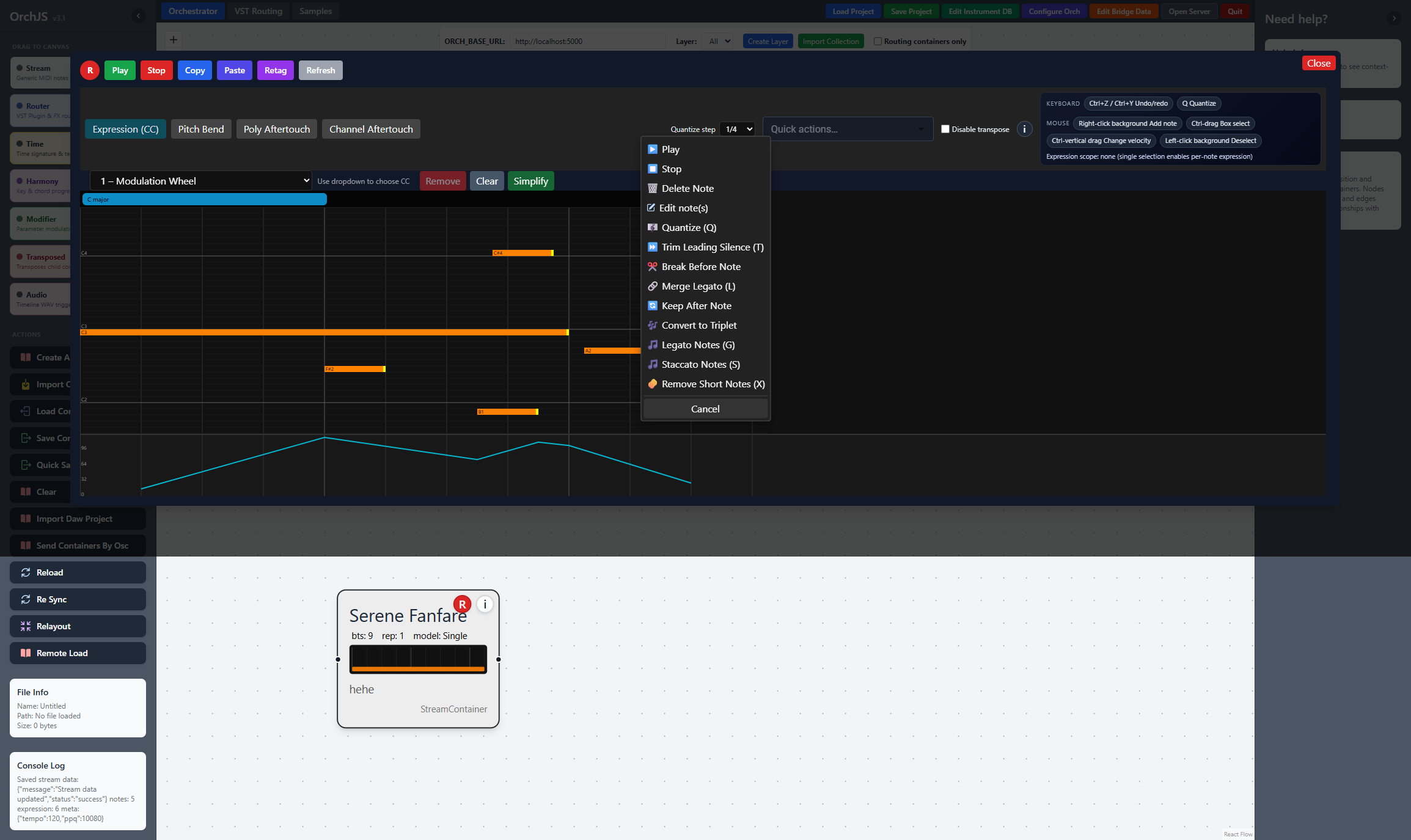
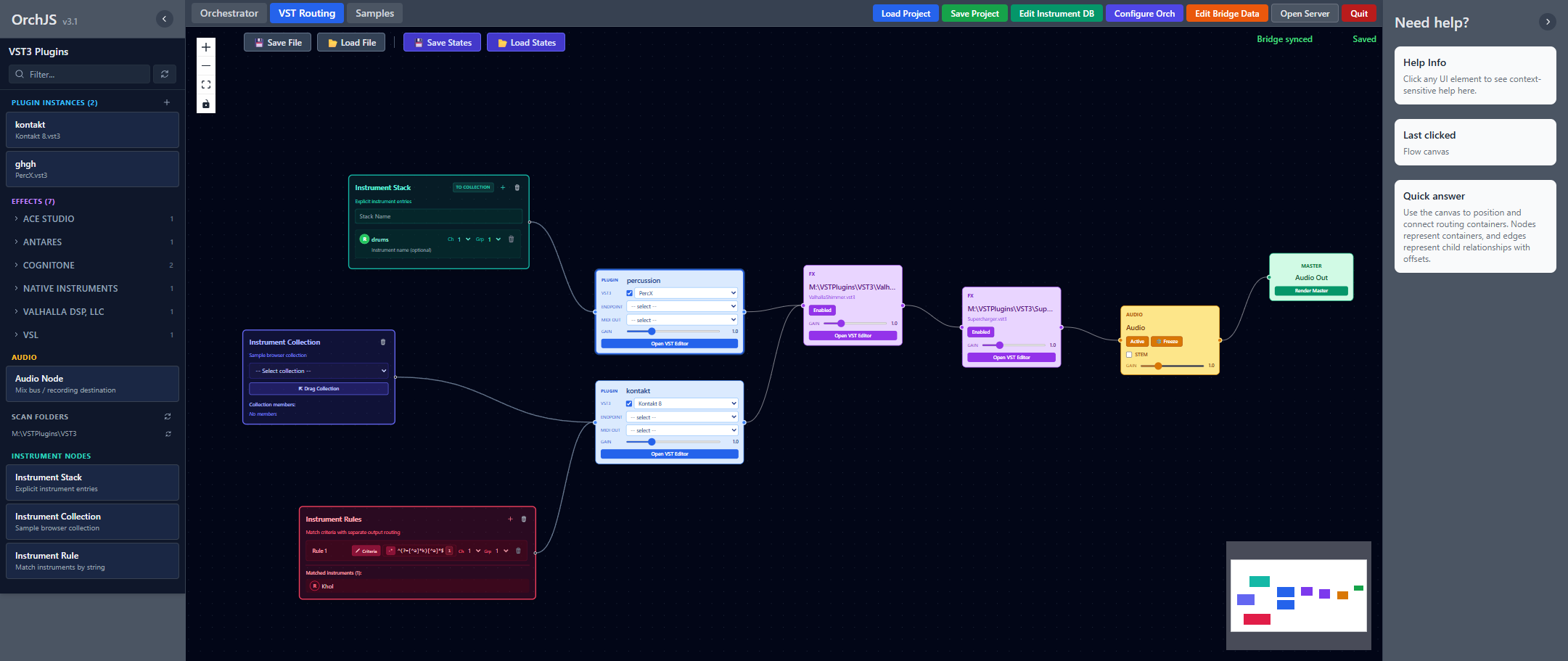
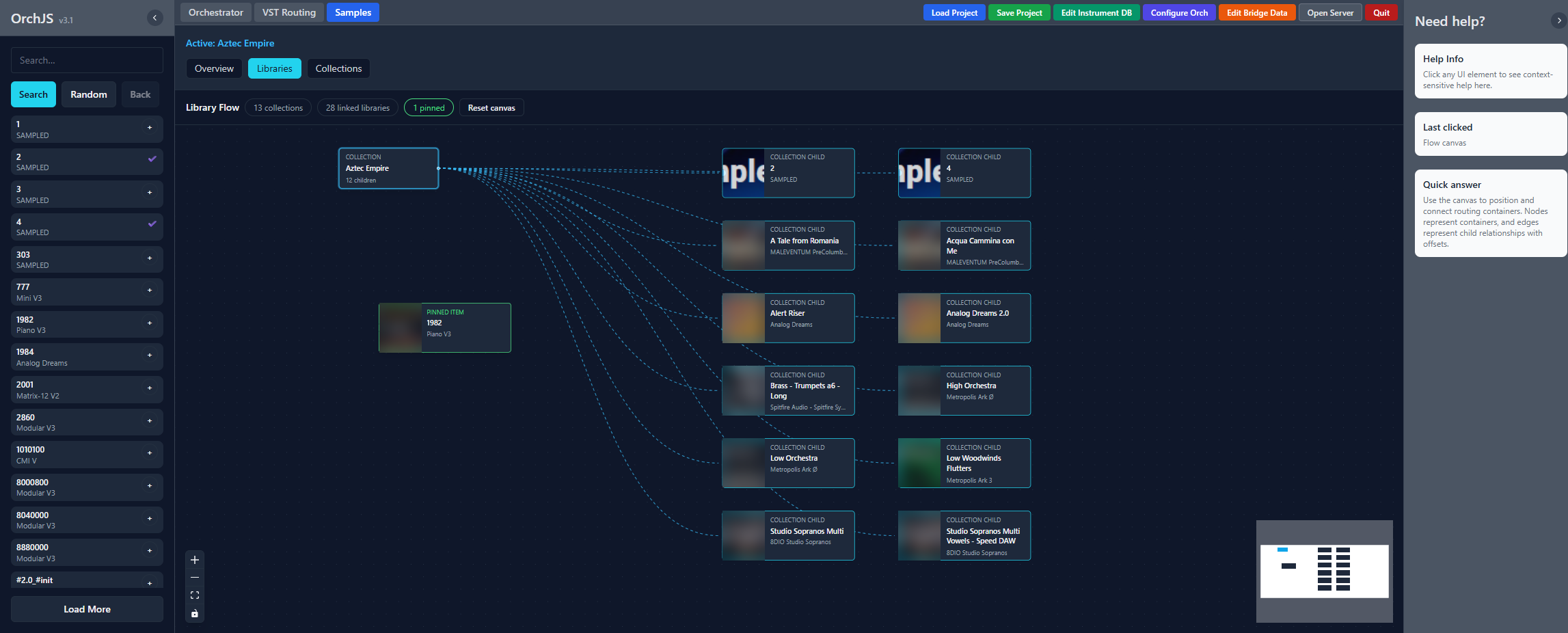
Orch is designed to work with your existing installed instruments, plugins, and sample libraries. Screenshots show examples from the developer's own local setup; third-party libraries, plugins, sounds, and artwork are not included with Orch and are not shown as endorsements.
Documentation
Find setup guidance, sample library workflows, VST routing notes, MCP instructions, module authoring references, and license information.
Open documentationLocal Setup
Use Library Flow to search, preview, pin samples, focus libraries, and manage collections.
Drag VST3 instruments and FX onto the routing canvas, wire busses and outputs, and save the graph with the project.
When enabled, Orch exposes an MCP endpoint at http://127.0.0.1:8765/mcp so compatible AI assistants can help inspect and edit projects.
Open Modules and choose Discover Online Modules to install or update signed tools individually.
Tutorial Videos
Short walkthroughs covering core Orch workflows — from orchestration and samples to VST routing.
More lessons in the full walkthrough playlist →
Practical Notes
Orch is built for local use on Windows and Mac. The Mac version now includes the real VST3 bridge (OrchMidi2Bridge) with full plugin hosting, but the VST workflow needs community testing on both platforms — all users should try Player first.
Project work is managed by your local backend. License verification is handled through Gumroad.
Use the documentation hub and walkthrough course to learn the workflow gradually.
Get Orch
Purchase Orch or try the free save-locked Player. The Gumroad product page hosts the application and standalone OrchSynth downloads; signed modules are installed individually from Orch's built-in catalog.